Claude prompt caching: how it works, cache TTL
How Claude prompt caching works: cache_control, the 5-minute and 1-hour cache TTL, why prompt caching is not working and how to check it in usage.
· 5 min read
Every request to a Claude model carries the whole conversation: the system prompt, the tool definitions and every message so far. In a long coding session that can be hundreds of thousands of tokens, and most of them are exactly the same as in the previous turn. Claude prompt caching lets the model reuse that repeated part instead of processing it again.
The effect is large. A token read from the cache counts about one tenth of a regular input token, and the answer starts sooner because the model does not have to work through the cached part again. This post explains how the cache works, what breaks it and how to see whether it is doing its job.
How Claude prompt caching works
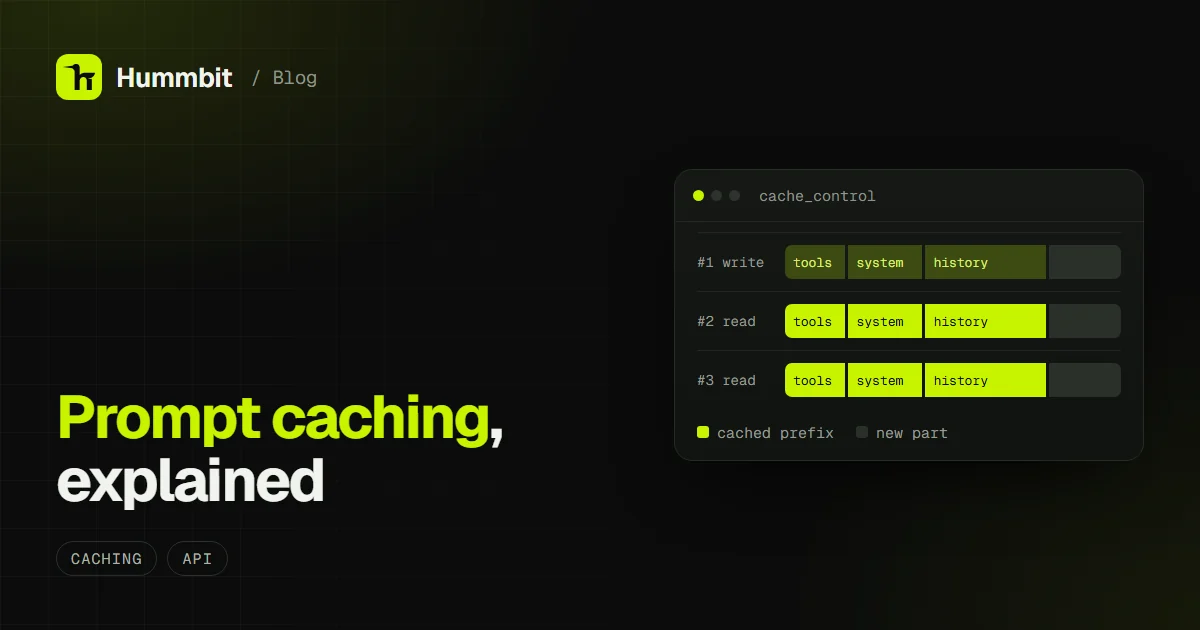
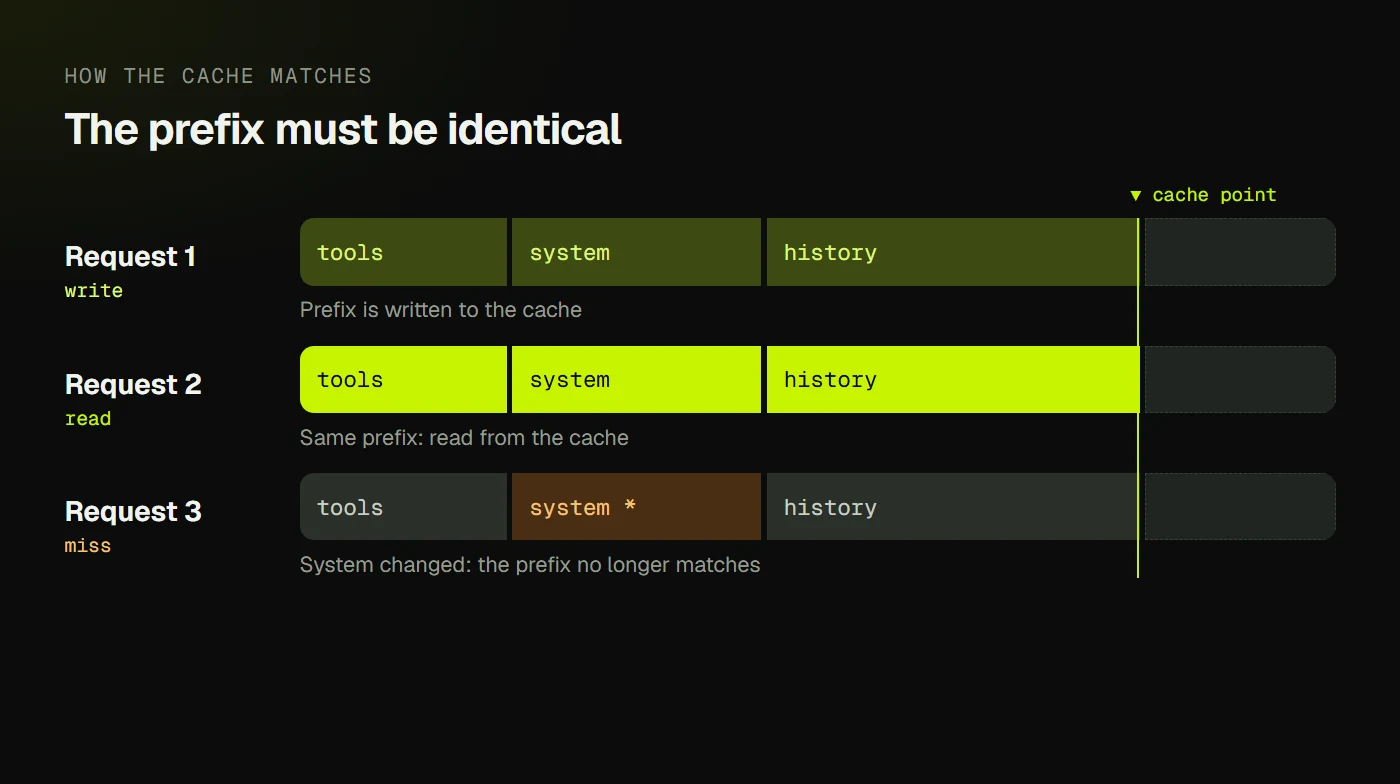
When you mark a point in your request as cacheable, the API stores everything up to that point: the prefix. If the next request starts with exactly the same prefix, the API reads it from the cache instead of processing it from scratch. The part after the cached prefix is processed as usual. A cache hit needs an exact match: one changed character anywhere in the prefix means a miss from that point on.
Cache TTL, order and minimum size
- Order of the prefix. The request is read in a fixed order: tools first, then the system prompt, then the messages. A change in the tools invalidates everything after them, while a new message at the end leaves the earlier parts cached.
- Breakpoints. You mark cache points with
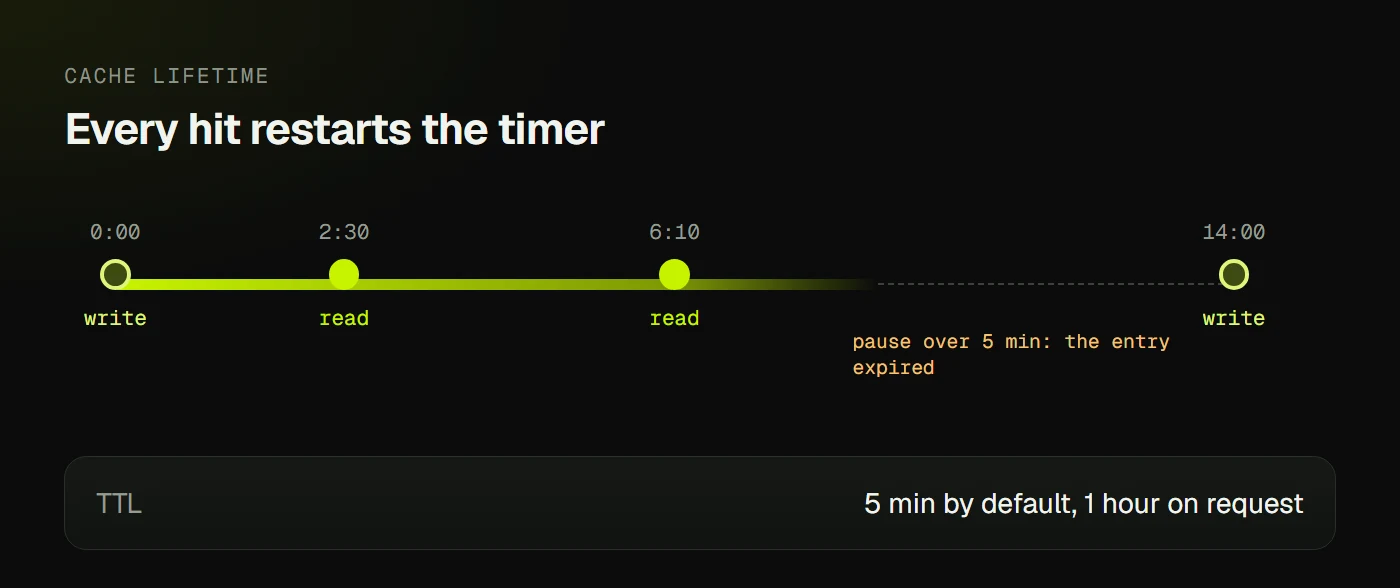
cache_controlon a content block. A request can have up to four of them. - Lifetime. A cached prefix lives for five minutes by default. You can ask for one hour with
"ttl": "1h". Every cache read refreshes the timer, so an active conversation keeps its cache warm. - Minimum size. Very short prefixes are not cached. On the Claude 5.x models the prefix has to be at least 512 tokens long.
How writes and reads are counted
Caching has two sides, and they count differently against your token usage:
| Operation | Five-minute lifetime | One-hour lifetime |
|---|---|---|
| Cache write, the first time a prefix is stored | 1.25 regular input tokens | 2 regular input tokens |
| Cache read, every later hit | about 0.1 of a regular input token | about 0.1 of a regular input token |
cache_control in a request
In the Messages API you add cache_control to the last block you want cached. Here the long system prompt is cached, and the user message after it is not:
{
  "model": "claude-sonnet-5-5",
  "max_tokens": 1024,
  "system": [
    {
      "type": "text",
      "text": "You are a code reviewer for this repository. Project rules follow...",
      "cache_control": { "type": "ephemeral" }
    }
  ],
  "messages": [
    { "role": "user", "content": "Review the diff below." }
  ]
}
For a one-hour lifetime, write "cache_control": { "type": "ephemeral", "ttl": "1h" } instead. In a multi-turn chat, a common pattern is to put one breakpoint after the system prompt and move a second one to the latest message on each turn, so the whole conversation so far stays cached.
Prompt caching in Claude Code
Claude Code, and most coding agents built on the Claude Messages format, set cache points on their own. They cache the system prompt, the tool list and the conversation, and move the breakpoint forward every turn. That is why a long Claude Code session uses far fewer effective tokens than its raw size suggests. If you connect Claude Code through your own Base URL, caching keeps working the same way.
How to check that the cache works
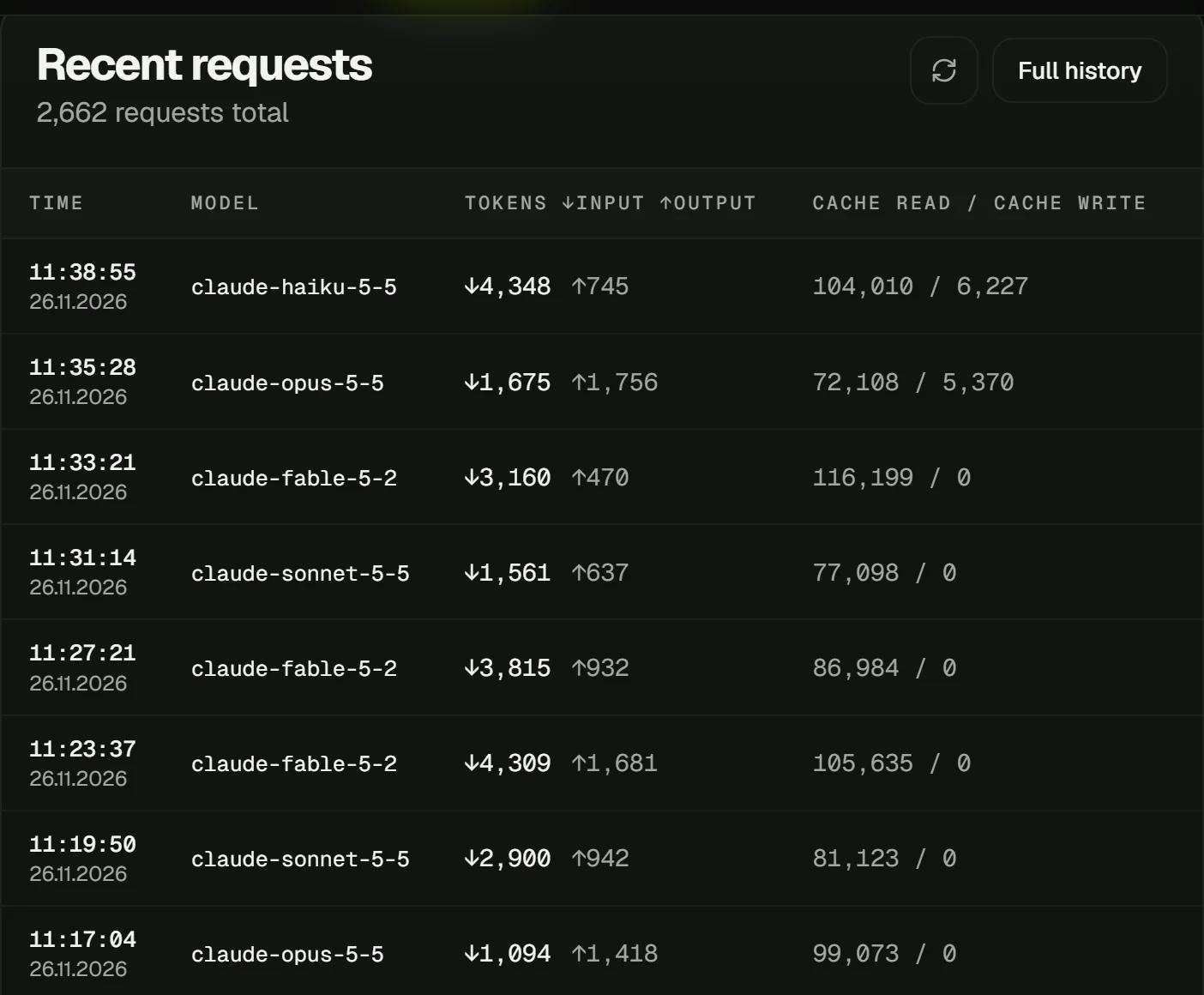
Every response includes a usage object with four numbers:
input_tokensfor the part processed normally;cache_creation_input_tokensfor the part written to the cache;cache_read_input_tokensfor the part read from the cache;output_tokensfor the answer.
In a healthy conversation the second request onward shows a large cache_read_input_tokens and a small input_tokens. If cache_read_input_tokens stays at zero turn after turn, the prefix is changing between requests. The history in your dashboard shows the same four numbers for every request, so you can check a session without writing any code.
Prompt caching not working? What breaks it
- A timestamp or random ID in the system prompt. It changes on every request, so nothing after it is ever reused. Put changing details at the end, after the cached part.
- Tools in a different order. Build the tool list in a stable order every time.
- Editing old messages. Rewriting or trimming earlier turns changes the prefix. Add new messages at the end instead.
- Switching models. Each model has its own cache, so the first request after a switch writes the cache again.
- Long pauses. After five minutes without a request, the default cache expires. For workflows with longer gaps, use the one-hour lifetime.
A quick example
Imagine a coding session where every turn sends 100,000 tokens of context plus a short new message. Without caching, each turn counts the full 100,000 tokens as input. With caching, the first turn writes the prefix once, and each later turn reads it at about one tenth: roughly 10,000 effective tokens for the same context. Over twenty turns that is the difference between two million input tokens and well under a quarter of that.
To estimate this for your own requests before sending them, see how to count tokens. To get a key and try it, create an account or follow the step-by-step guide.