Claude tokens: how to count them
Claude tokens explained: a Claude token counter with count_tokens, the usage fields, the Claude context window and how Claude Code tokens add up.
· 5 min read
Claude tokens are the unit everything in the Claude API is measured in: the size of the context window, the length of an answer and the usage you see after each request. Knowing how many tokens a request will take before you send it helps you keep prompts inside the context window, plan long agent sessions and spot a prompt that has grown much larger than you meant.
This post covers what Claude tokens are, a Claude token counter you can call before sending, the usage in every response, how much fits in the Claude context window and how to watch Claude Code tokens.
What Claude tokens are
A token is a piece of text the model reads as one unit. Common English words are often a single token, while longer or rarer words are split into several. Code, numbers and punctuation have their own patterns, and text in other languages, such as Russian, usually takes more tokens per word than English.
Claude token counter: the count_tokens endpoint
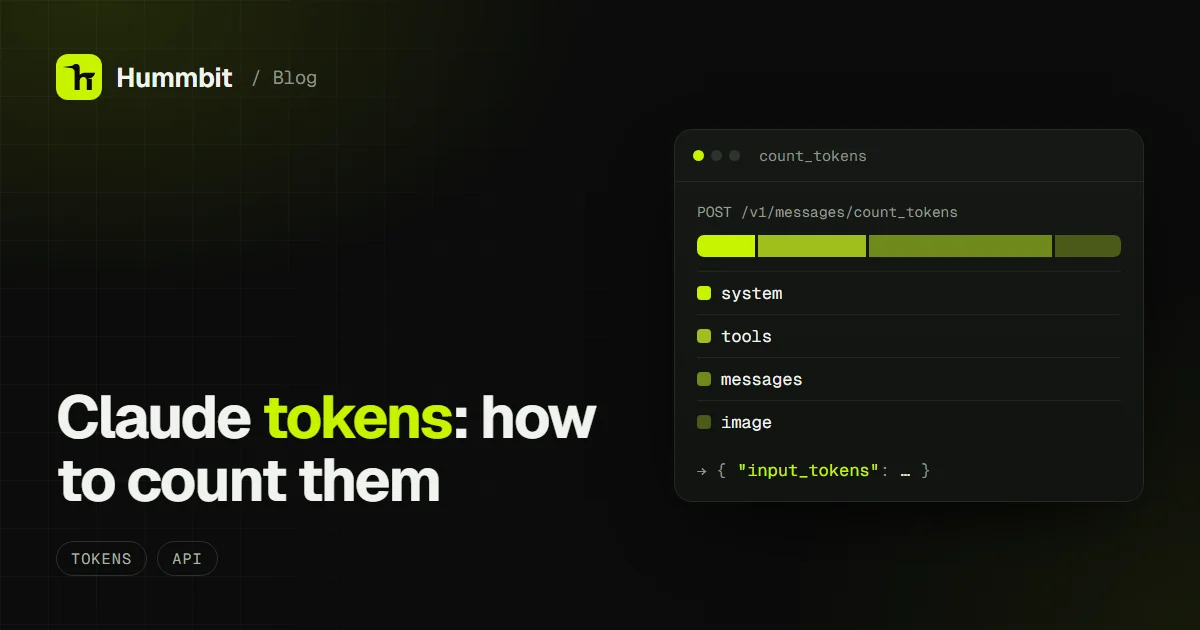
The API has an endpoint that counts tokens without running the model: POST /v1/messages/count_tokens. You send the same body you would send to /v1/messages, without max_tokens, and get back the number of input tokens.
curl {BASE}/v1/messages/count_tokens \
  -H "x-api-key: {KEY}" \
  -H "anthropic-version: 2023-06-01" \
  -H "content-type: application/json" \
  -d '{
    "model": "claude-sonnet-5-5",
    "system": "You are a helpful assistant.",
    "messages": [{"role": "user", "content": "Summarize this file."}]
  }'
The answer is short:
{ "input_tokens": 27 }A few things to know about it:
- The count covers everything in the request: system prompt, messages, tool definitions, images and documents. Pass the same
toolsyou plan to use, otherwise the number will be too low. - It counts for a specific model, so set the
modelfield to the one you will actually use. - It does not generate anything, so it is safe to call as often as you need, for example before every turn of a long chat.
The same endpoint is available through your own Base URL, so tools that check the size of a prompt before sending it keep working when you connect them through a custom address.
Read the real numbers: the usage object
Every response from /v1/messages includes a usage object. It is the exact record of what the request used:
| Field | What it counts |
|---|---|
input_tokens | Input processed normally |
cache_creation_input_tokens | Input written to the prompt cache |
cache_read_input_tokens | Input read from the cache |
output_tokens | Everything the model wrote, including thinking |
The total input of a request is the sum of the first three. When caching works well, most of the input moves from input_tokens to cache_read_input_tokens, which counts about ten times less. The post on prompt caching explains how to get there.
When you stream the answer, the final usage arrives in the last events of the stream. If you only read the text, look for the message_delta event at the end to get the output count.
The parts people forget
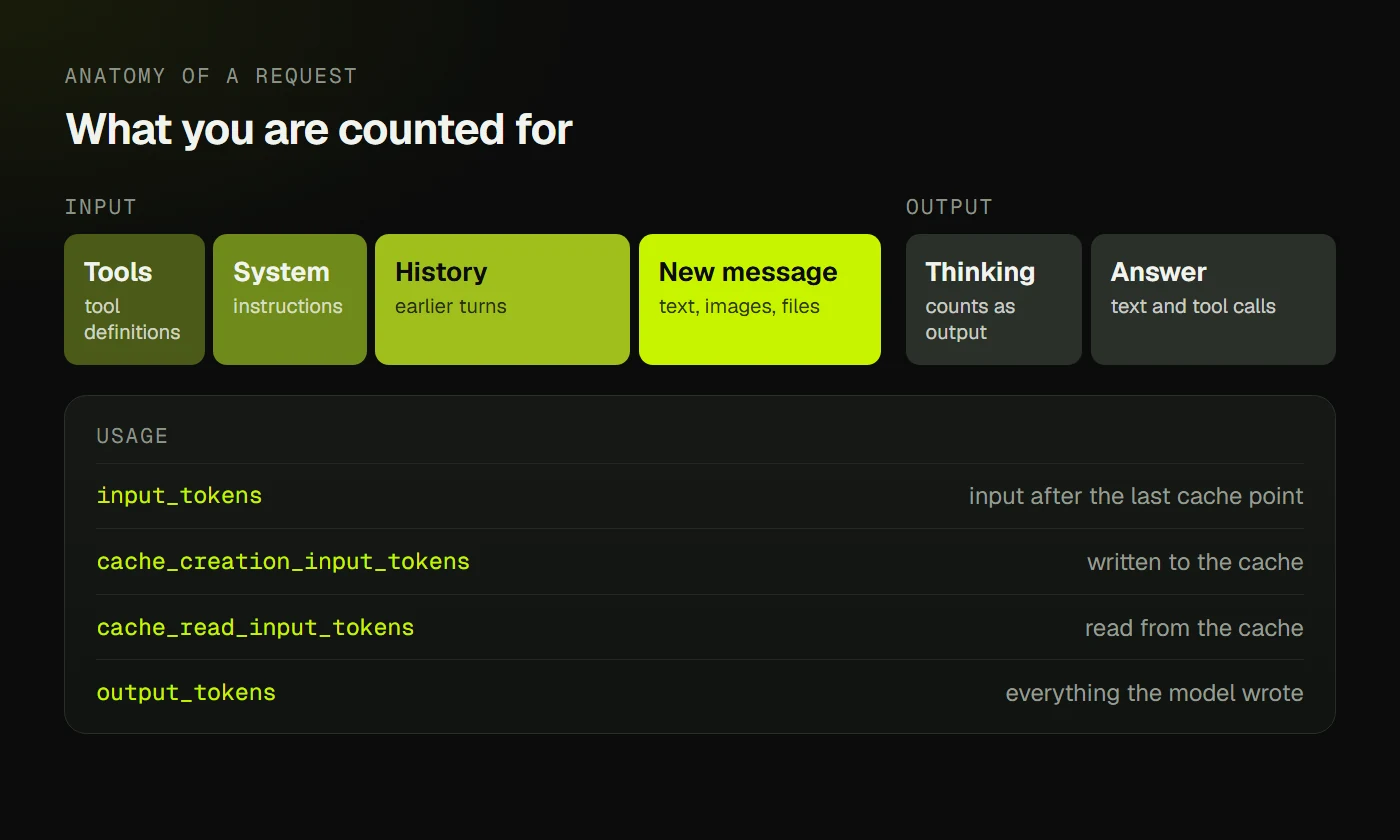
Tool definitions. Every tool you pass has a name, a description and a schema, and all of that counts as input on every request. An agent with thirty tools can spend thousands of tokens before the first message.
The system prompt. It is sent with every request, not just the first one. A long system prompt is the first thing worth caching.
Conversation history. Each turn sends the whole conversation again. A chat that started small can reach hundreds of thousands of tokens after a long session.
Thinking. With adaptive thinking on, the model may reason before it answers. Those tokens count as output, even when your app does not show them.
Images and files. Pictures and PDF pages are converted into tokens too. A large screenshot can take more tokens than a page of text.
Input and output are not equal
Output tokens weigh several times more than input tokens, because writing is harder work for the model than reading. In practice, this means that a long answer often matters more than a long prompt. If you need short answers, say so in the prompt and set a sensible max_tokens.
Which model you choose also changes the picture: heavier models think longer and write more on hard tasks. See Claude Opus vs Sonnet vs Haiku for when each one is worth it.
Claude context window: how many tokens fit
The Claude 5.5 models and Fable 5.2 have a context window of up to one million tokens and can write up to 128,000 tokens in one answer. Everything shares that window: the system prompt, tools, history and the answer itself. A long conversation reaches the limit sooner than it seems, so check its size with count_tokens from time to time.
Claude Code tokens
Claude Code keeps track of tokens for you. The /context command shows how much of the window is used and by what: system prompt, tools, memory files such as CLAUDE.md and messages. When a conversation nears the limit, Claude Code compacts the history automatically, and /compact does it on demand. When you switch to unrelated work, /clear starts a fresh session.
Check it in your dashboard
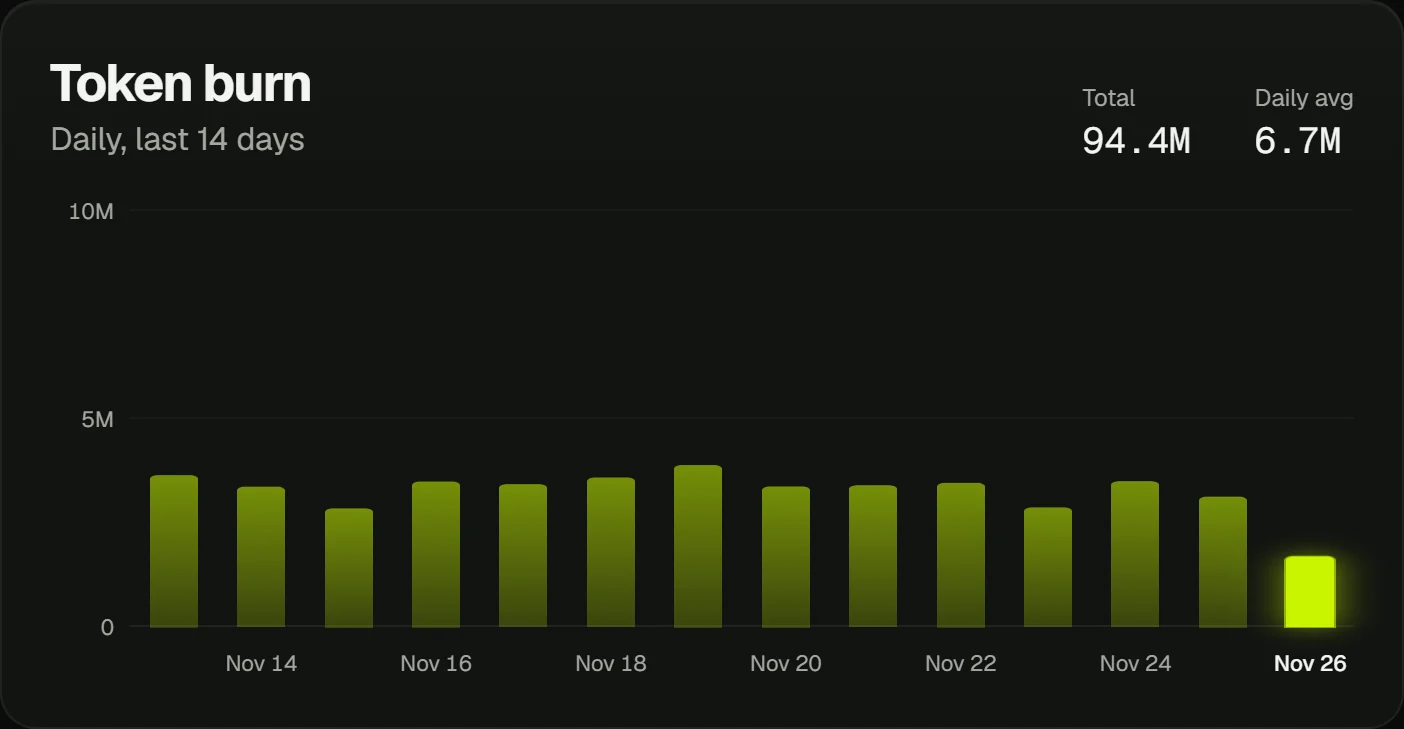
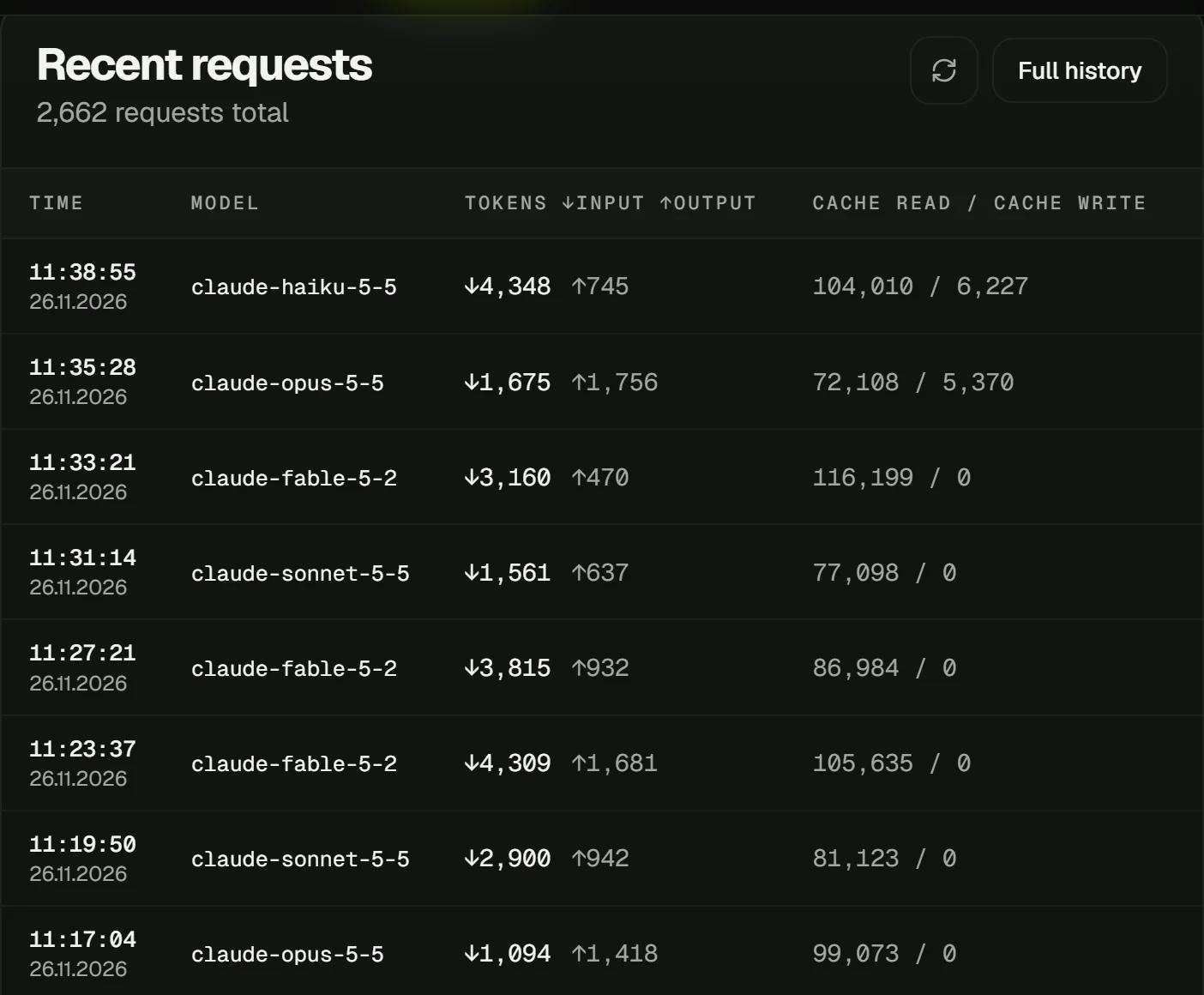
You do not have to log anything yourself. The history in your dashboard lists every request with its model and the same four token counts, so you can see which session, tool or prompt used the most. It is the quickest way to find a runaway agent loop or a system prompt that grew too large.
Summary
- Use
/v1/messages/count_tokensto check the size of a request before sending it. - Read
usagein every response for the exact numbers. - Count tools, system prompt, history, thinking and images, not only the visible message.
- Cache the parts that repeat.
The API docs list every endpoint. To try it with your own key, create an account and follow the step-by-step guide.