OpenCode setup with Claude models
OpenCode AI step by step: how to download and install opencode, set up opencode.json for Claude models, pick a model, run a first task and fix error 403.
· 5 min read
OpenCode is an open source AI coding agent that runs in the terminal, as a desktop app and in the browser. Like Claude Code, it reads your project files, edits code and runs commands on its own. This guide walks through the OpenCode setup with Claude models: installing it, writing the config, the first commands and the 403 error people get stuck on most.
A shorter version of the same steps with screenshots is on the OpenCode setup page.
What OpenCode is
OpenCode works with many models: you decide where requests go and which key they use. That is why people pick it when they want one tool for several models. It has two modes: Build for working on code and Plan for talking through a plan without touching any files.
| What you compare | OpenCode | Claude Code |
|---|---|---|
| Source code | open | closed |
| Models | any, through your own config file | Claude models |
| Where it runs | terminal, desktop app, browser | terminal, editors, desktop app, browser |
| Project rules file | AGENTS.md | CLAUDE.md |
| Switching models | /models | /model |
Still choosing between them? Read what Claude Code is and how to use it too. Both tools work with the same Hummbit key.
How to download and install OpenCode
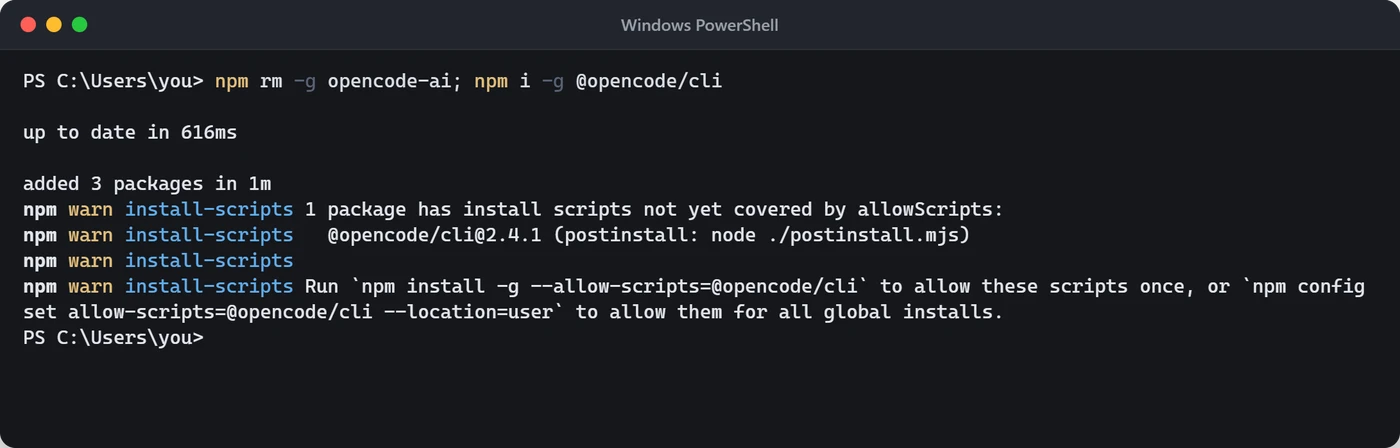
The terminal version needs Node.js. Open PowerShell or any other terminal and run one command:
npm rm -g opencode-ai; npm i -g @opencode/cliThe first half removes the old OpenCode 1 package if you have it. Both versions use the opencode command, so the new one will not install while the old one is there. If there is no old version, the first half simply finishes without an error.
OpenCode config: the opencode.json file
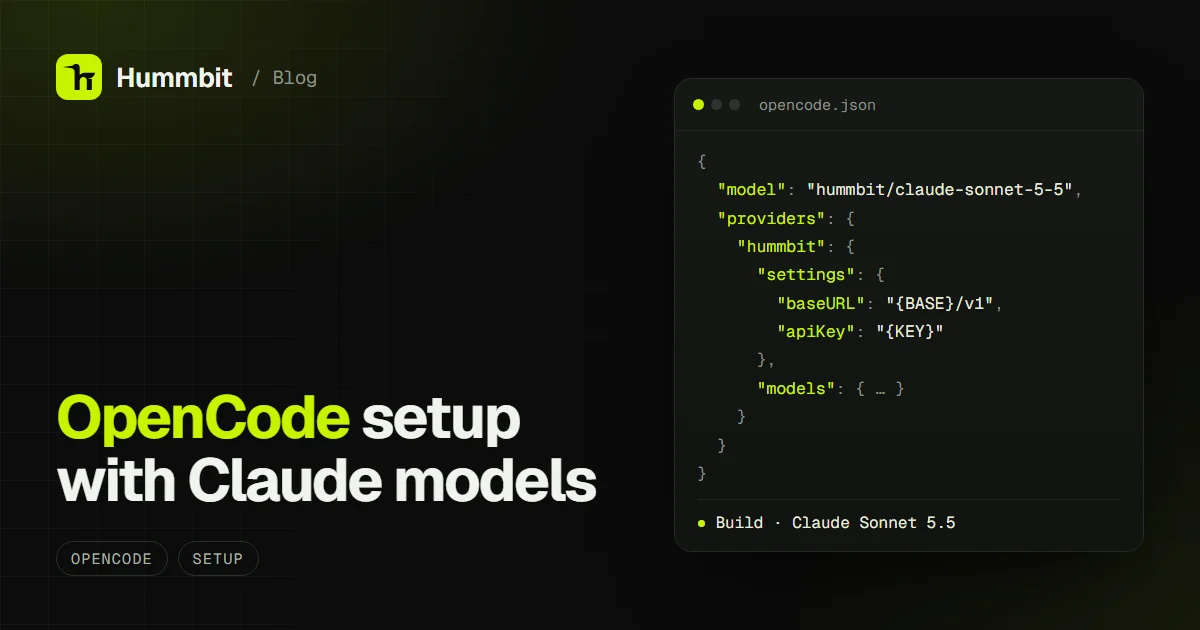
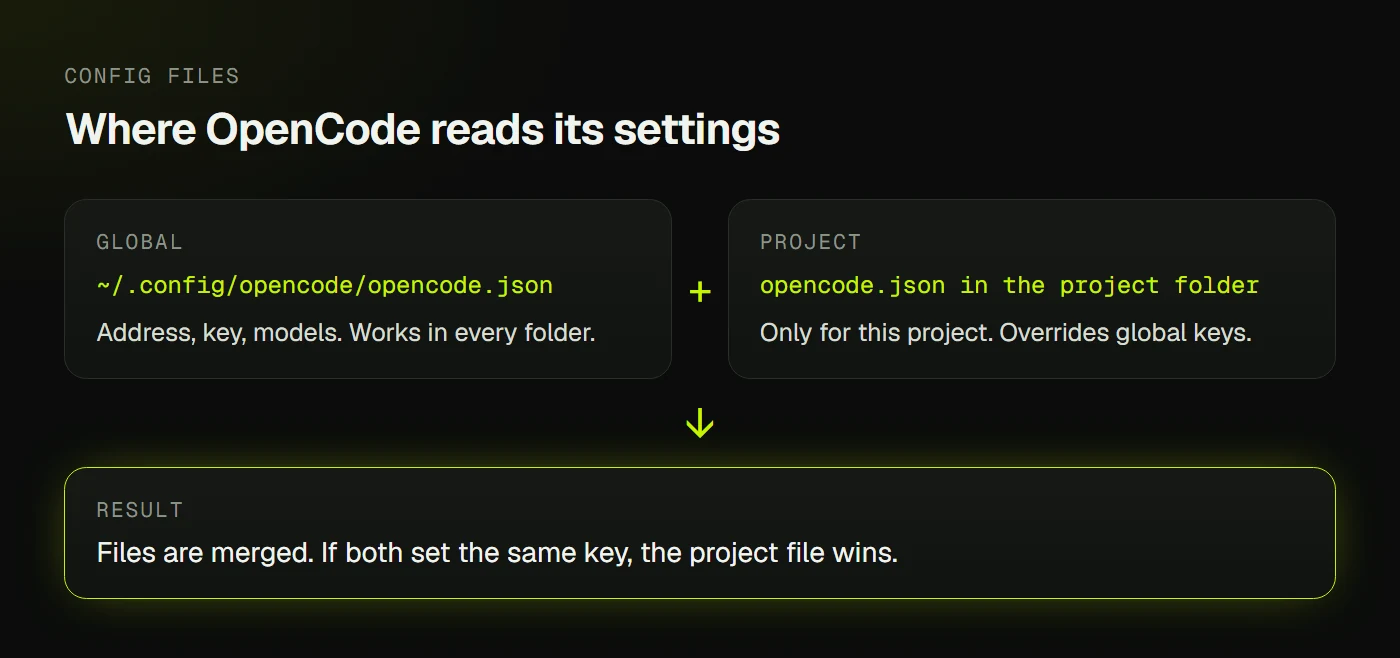
OpenCode keeps all its settings in opencode.json. The global file lives in the .config\opencode folder inside your user profile and applies to every project. You can also put a second file in a project folder, and its values take priority.
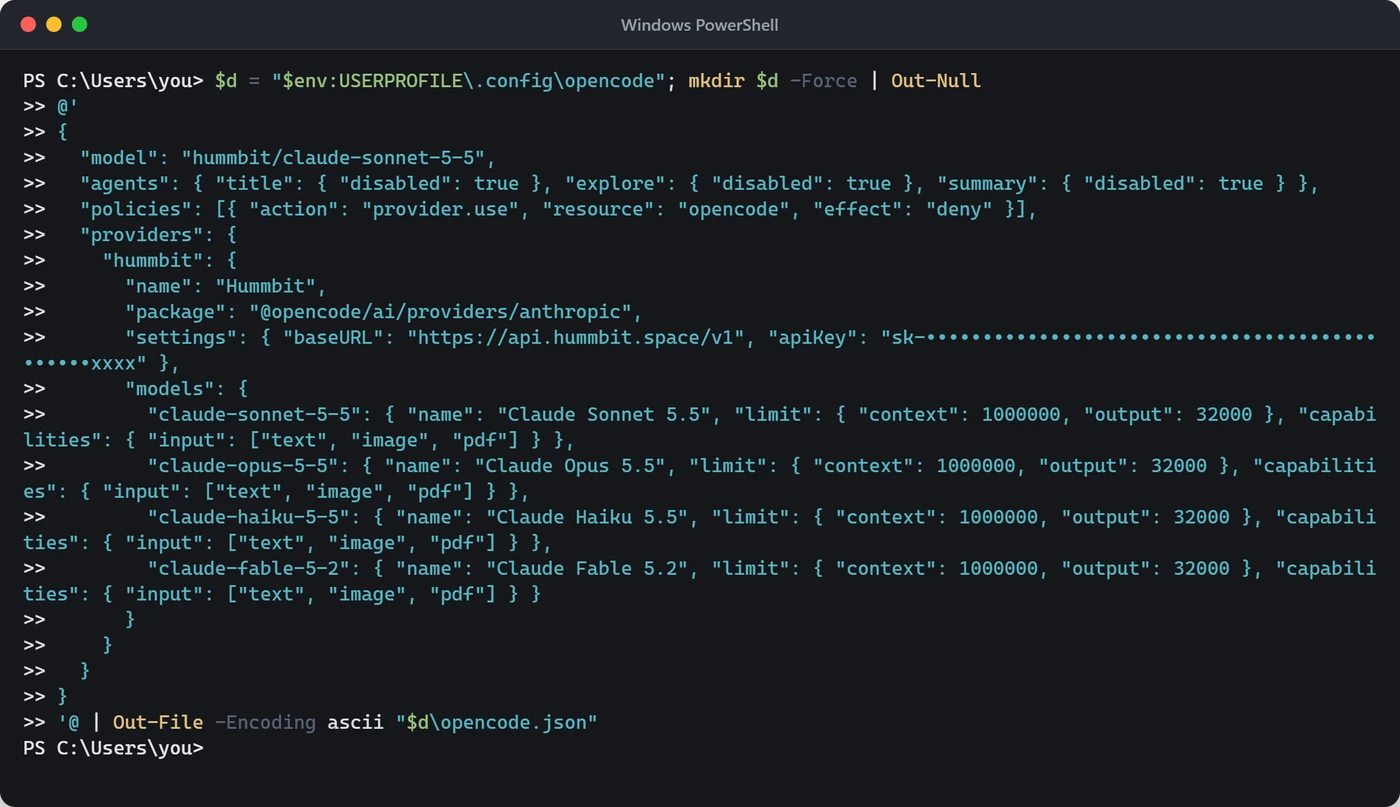
For OpenCode to use Claude models through Hummbit, the file needs an address, a key and a list of models. A simplified version looks like this:
{
  "model": "hummbit/claude-sonnet-5-5",
  "providers": {
    "hummbit": {
      "name": "Hummbit",
      "package": "@opencode/ai/providers/anthropic",
      "settings": { "baseURL": "{BASE}/v1", "apiKey": "{KEY}" },
      "models": {
        "claude-sonnet-5-5": { "name": "Claude Sonnet 5.5" },
        "claude-opus-5-5": { "name": "Claude Opus 5.5" }
      }
    }
  }
}
You do not have to write it by hand. After you sign up, your dashboard has a ready command that creates opencode.json with your address, key and all models.
How to use OpenCode
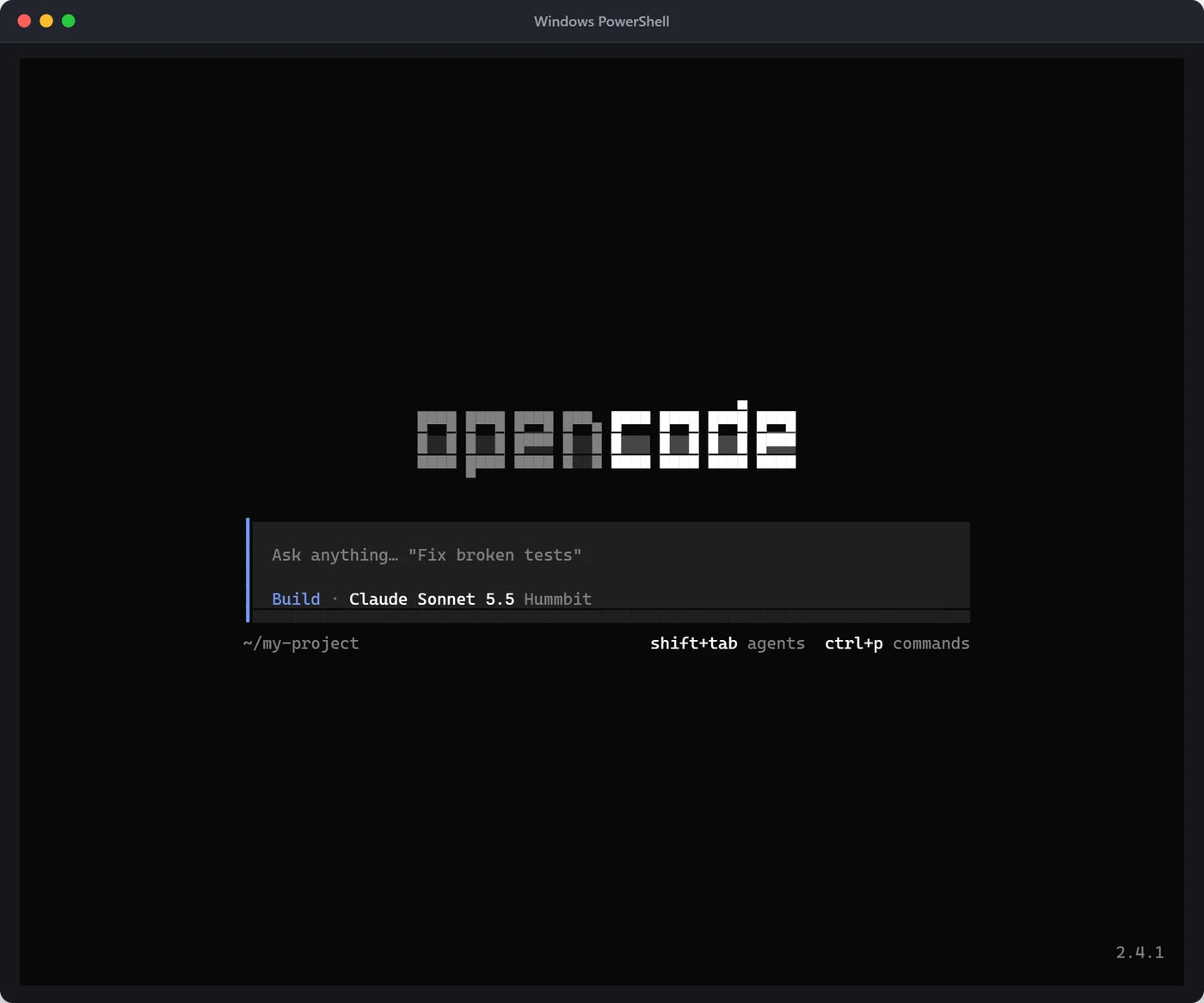
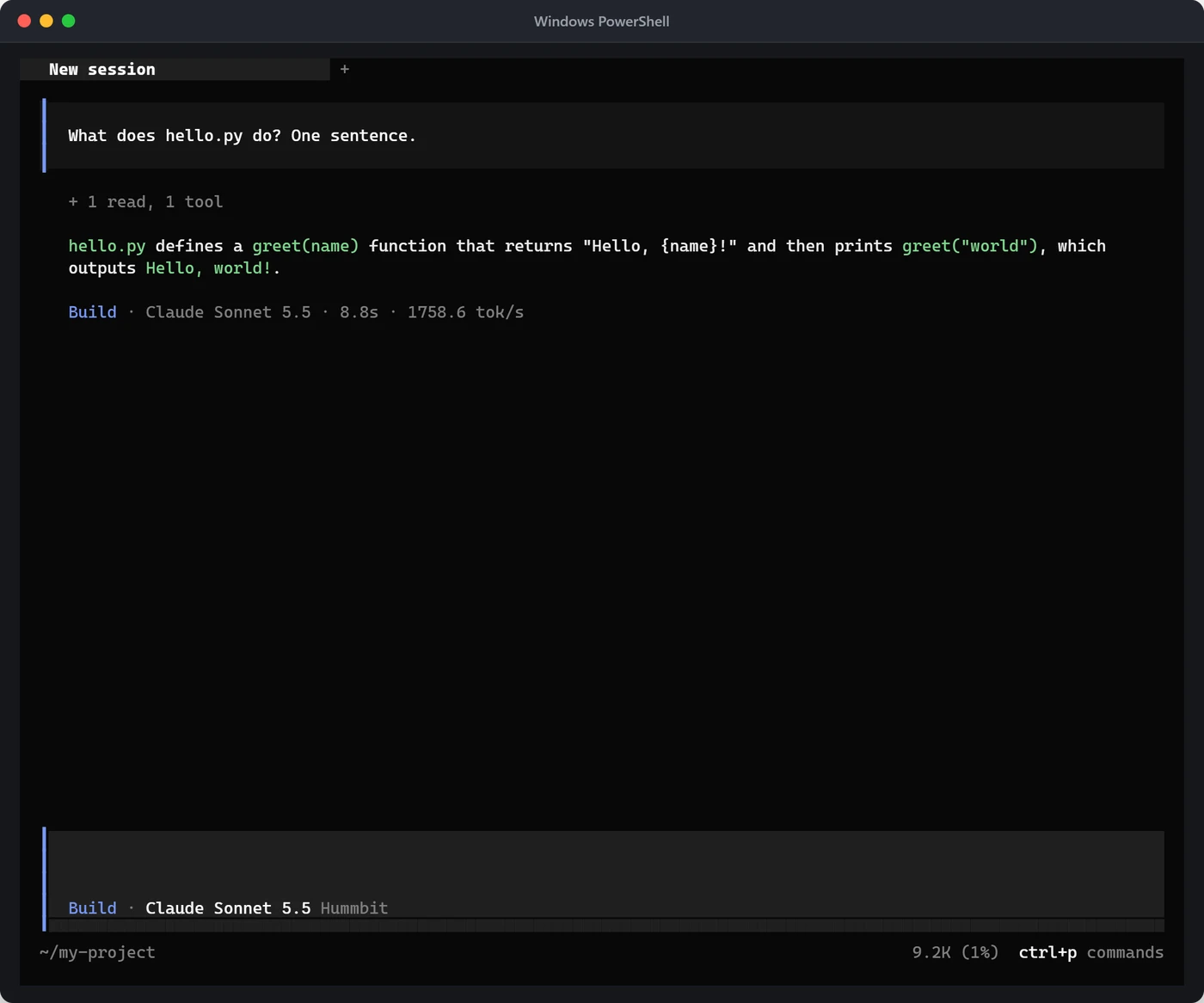
Go to your project folder and run opencode. A window opens with the current model and mode shown at the bottom.
The first things to do:
- Type
/modelsand pick a model. Sonnet fits most tasks, Opus the harder ones. - In an existing project, run
/init. OpenCode studies the code and writes anAGENTS.mdfile describing it. - Press Tab to switch between Build and Plan.
- Press Ctrl+P to open the list of all commands.
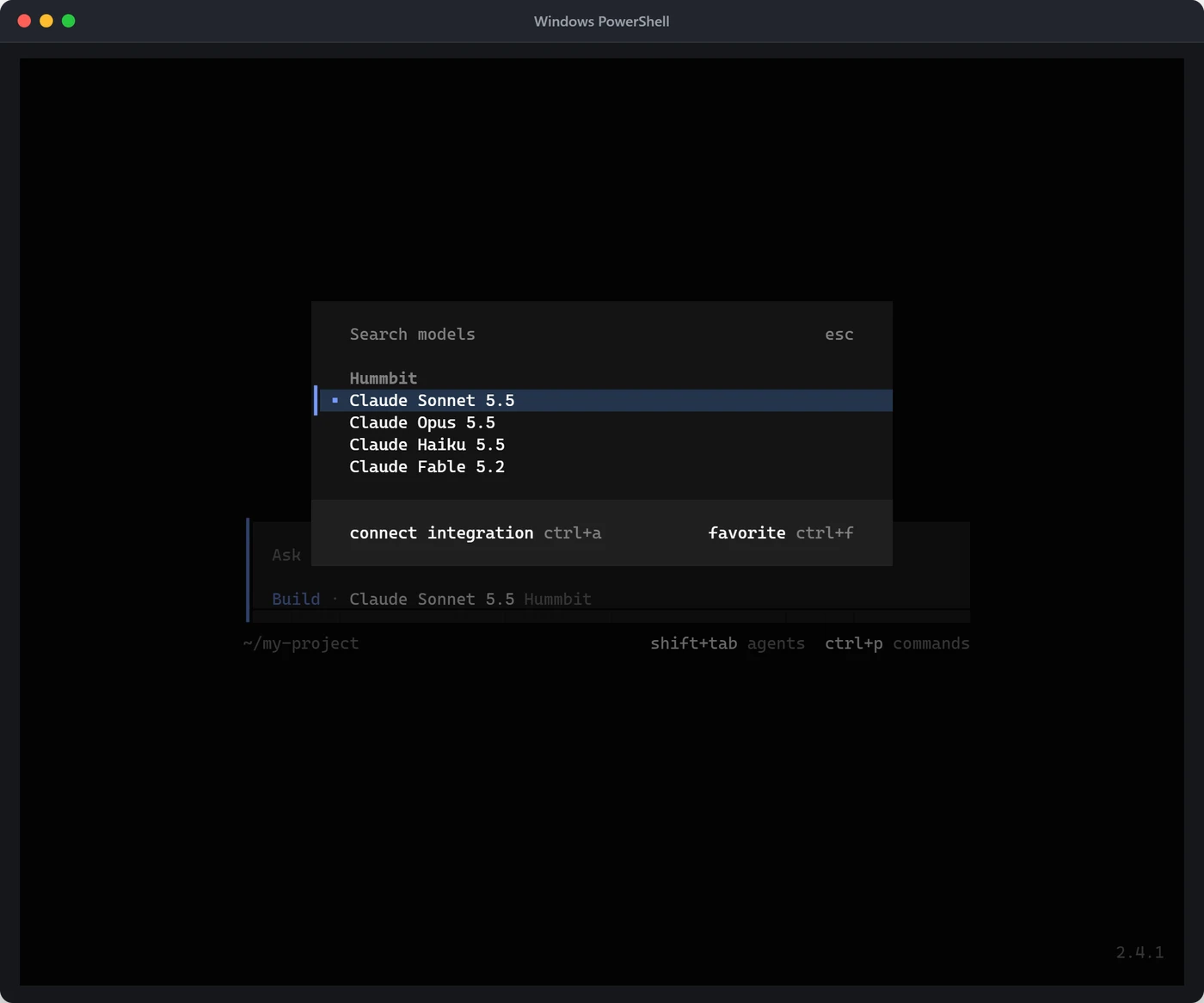
After that, just describe the task in plain words. OpenCode finds the right files, shows its changes and answers.
OpenCode 403 error
The error usually looks like this:
Provider request failed with HTTP 403A 403 means the server received the request but refused it. The cause is almost always the config, not OpenCode itself. Check these in order:
- The wrong model is selected. Next to the model name at the bottom it should say Hummbit. If it shows something else, pick the model again with
/models. - The key was not copied in full. An extra space or a cut-off end gets the request refused. Copy the command from your dashboard again.
- The address is wrong. Compare
baseURLwith the address in your dashboard and check for/v1at the end. - An old file in the project folder. If the project has its own
opencode.jsonwith a different key, it overrides the global one.
After a fix, close OpenCode and start it again, because the config is only read at startup. Other error codes are explained in the error list, and the full walkthrough from zero is in the getting started guide.
FAQ
What is the difference between OpenCode and Claude Code?
OpenCode is open source and works with any model you add to its config. Claude Code is built around Claude models and is more tightly tied to them. Both can read and change files, run commands and connect tools through MCP.
Where is the OpenCode config file on Windows?
In the .config\opencode folder inside your user profile, in a file called opencode.json. The terminal, desktop and browser versions all read the same file.
Why are the built-in OpenCode models missing from the list?
The dashboard command hides them so that /models only shows Claude models and you do not send a request to the wrong place by accident. If you need them, remove the policies block from the file.
How do I update OpenCode?
Run the same install command again. Your settings in opencode.json stay in place.
More apps that work with the same key are listed on the setup page. If you also use Claude Code, see how prompt caching saves tokens.