
How to set up LiteLLM
LiteLLM is a gateway for the API. This guide shows how to connect it to Hummbit step by step, with a screenshot of each step (Windows).
You will need the address and your personal key: both are in your Hummbit panel after you sign up.
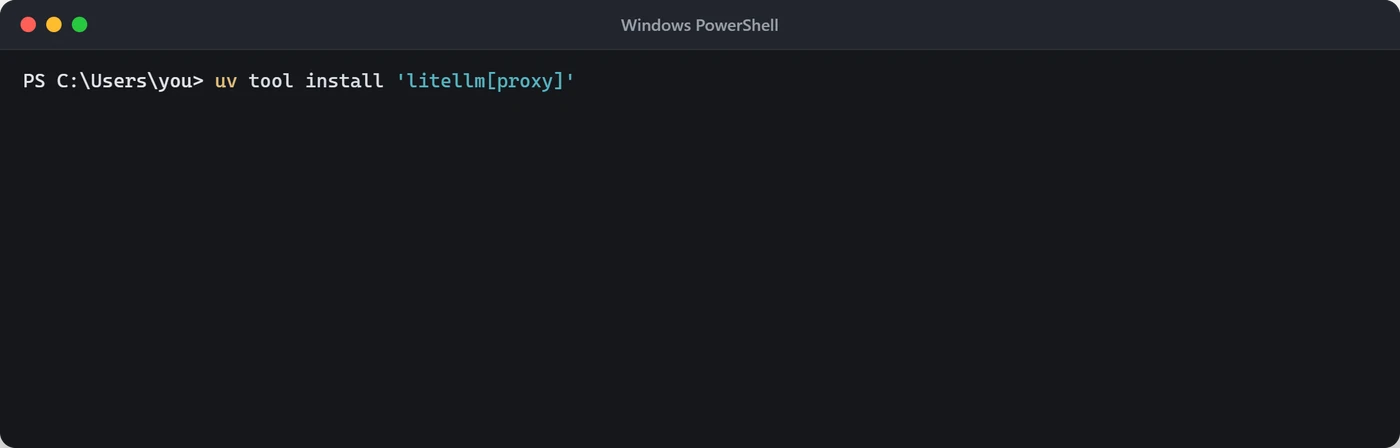
Step 1:Install LiteLLM
Needs uv installed.
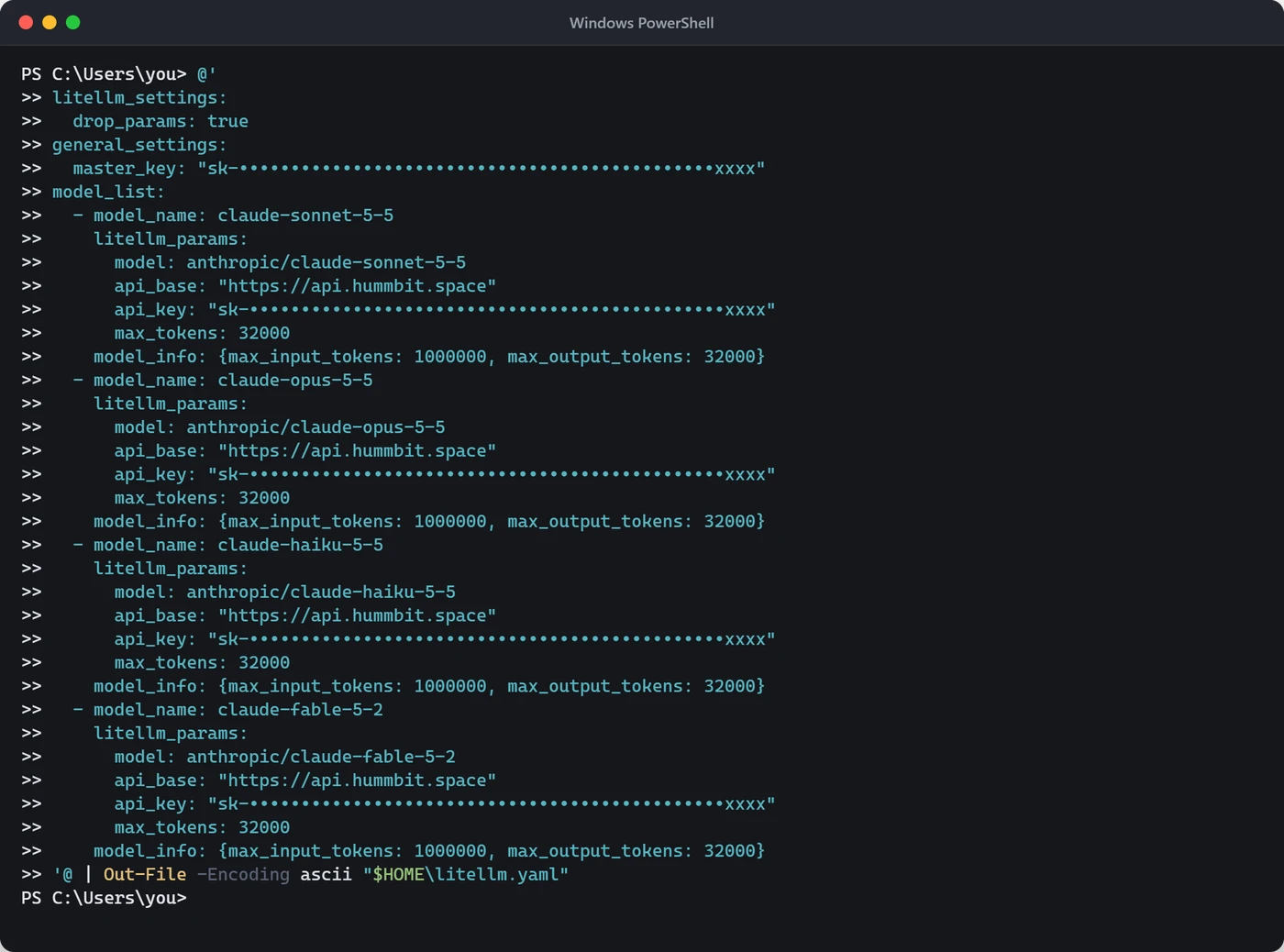
Step 2:Paste your settings
Address and key included.
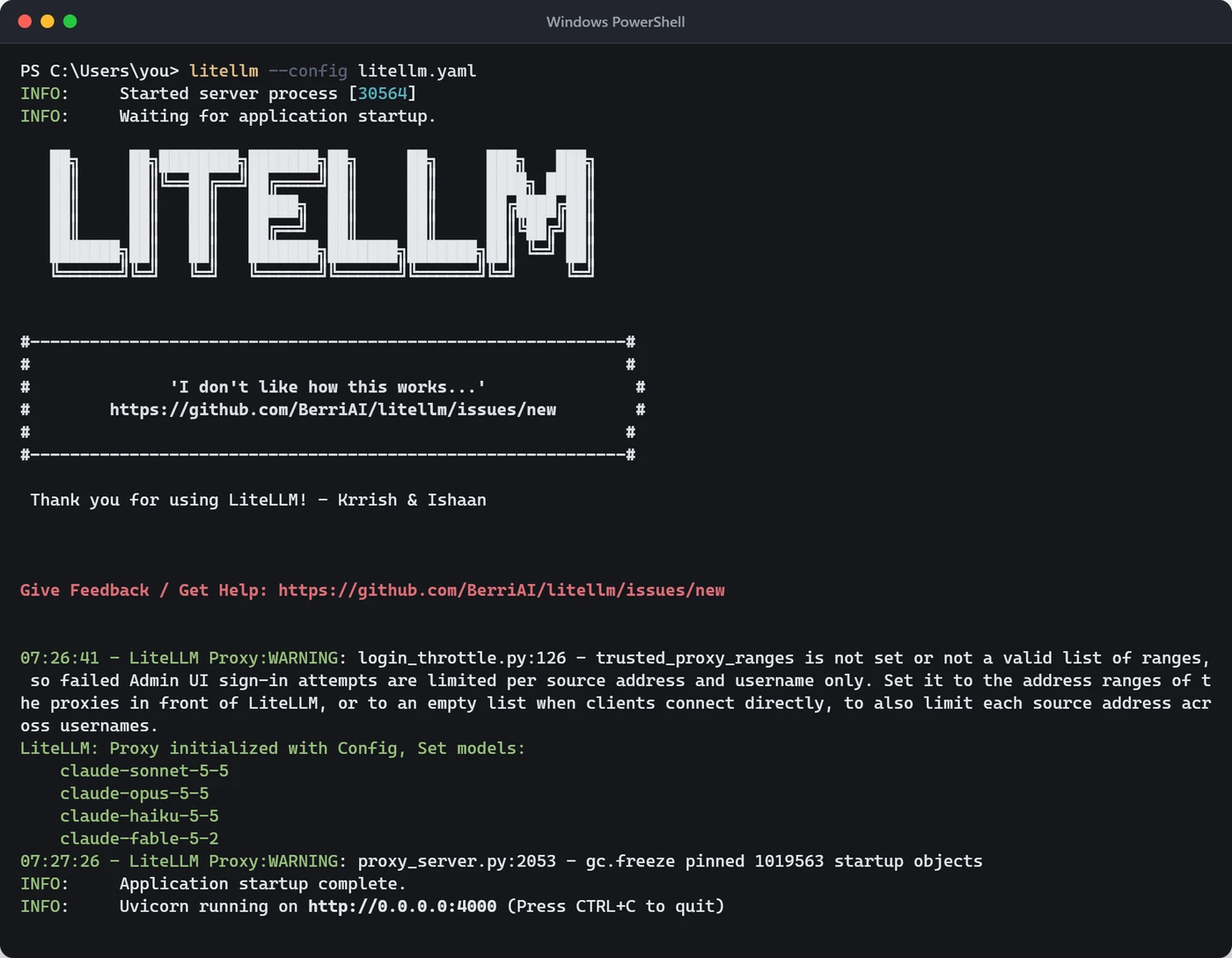
Step 3:Start LiteLLM
Keep this window open.
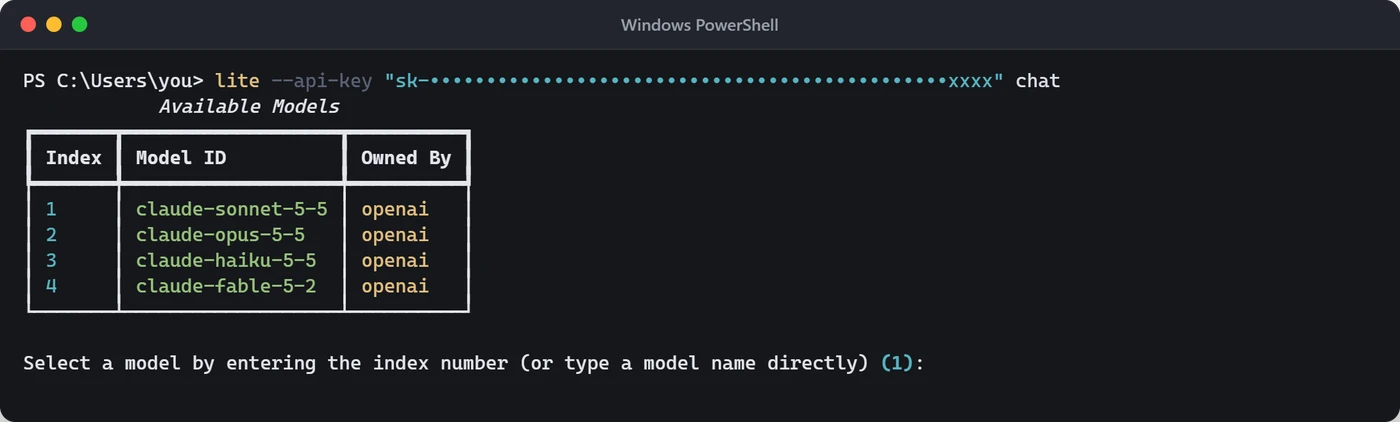
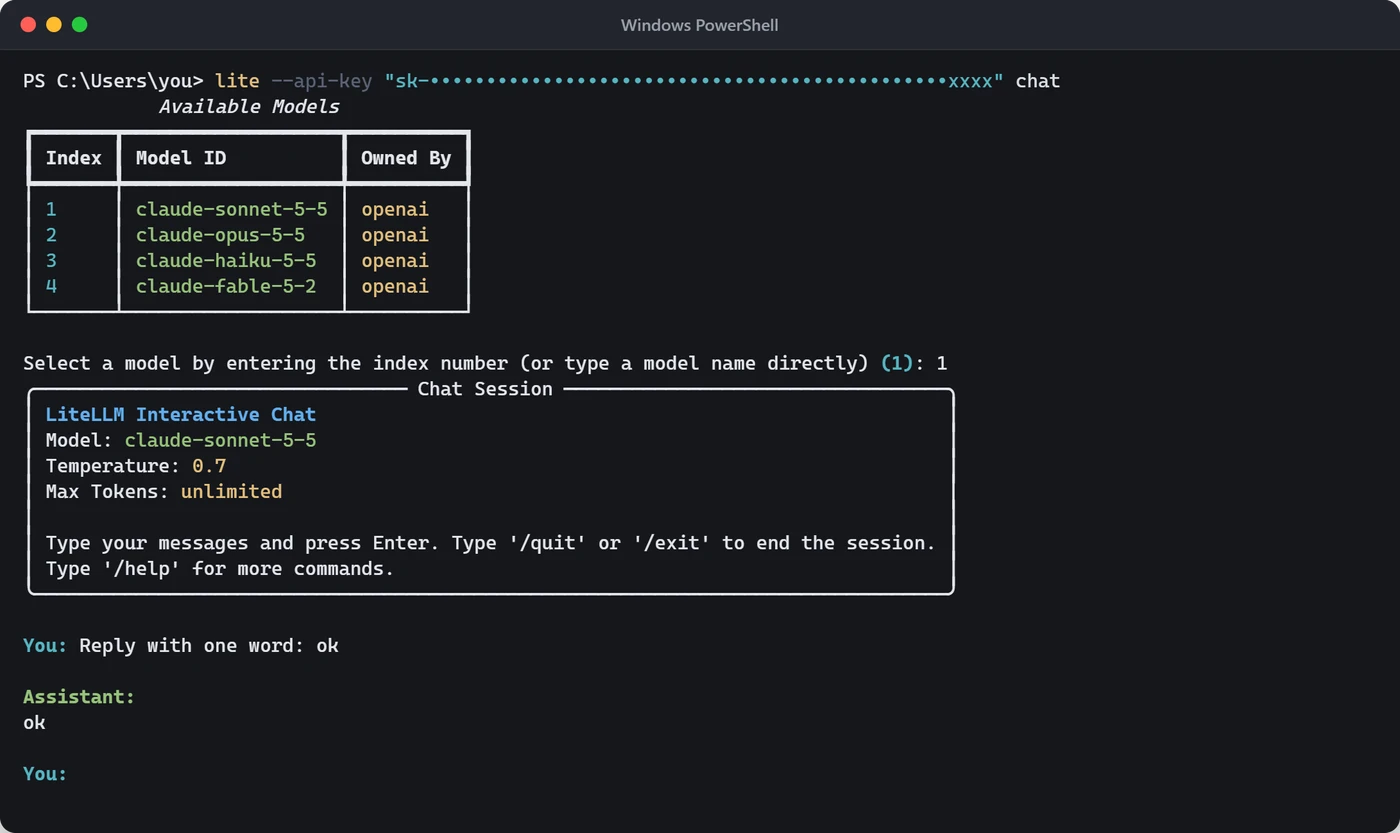
Step 4:Open the chat
Pick a model by number.
Step 5:Ask anything
Other apps use localhost:4000.
Models
The same models work in every app. Use the exact name:
- Claude Sonnet 5.5:
claude-sonnet-5-5 - Claude Opus 5.5:
claude-opus-5-5 - Claude Haiku 5.5:
claude-haiku-5-5 - Claude Fable 5.2:
claude-fable-5-2