
How to set up Flowise
Flowise is a web app. This guide shows how to connect it to Hummbit step by step, with a screenshot of each step (Windows).
You will need the address and your personal key: both are in your Hummbit panel after you sign up.
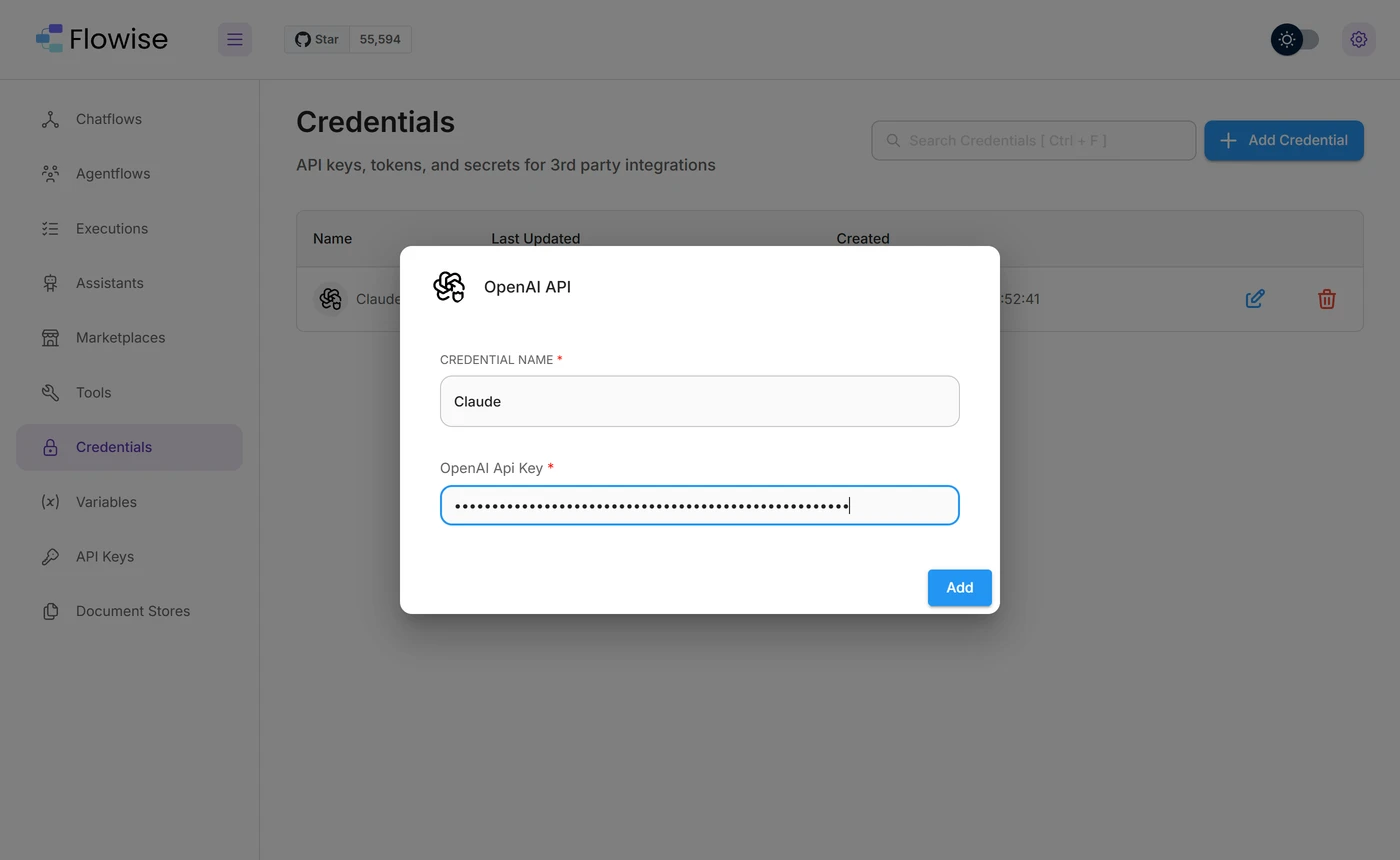
Step 1:Paste your key
Credential type: OpenAI API.
Step 2:Build the chatflow
Custom model, chain, memory.
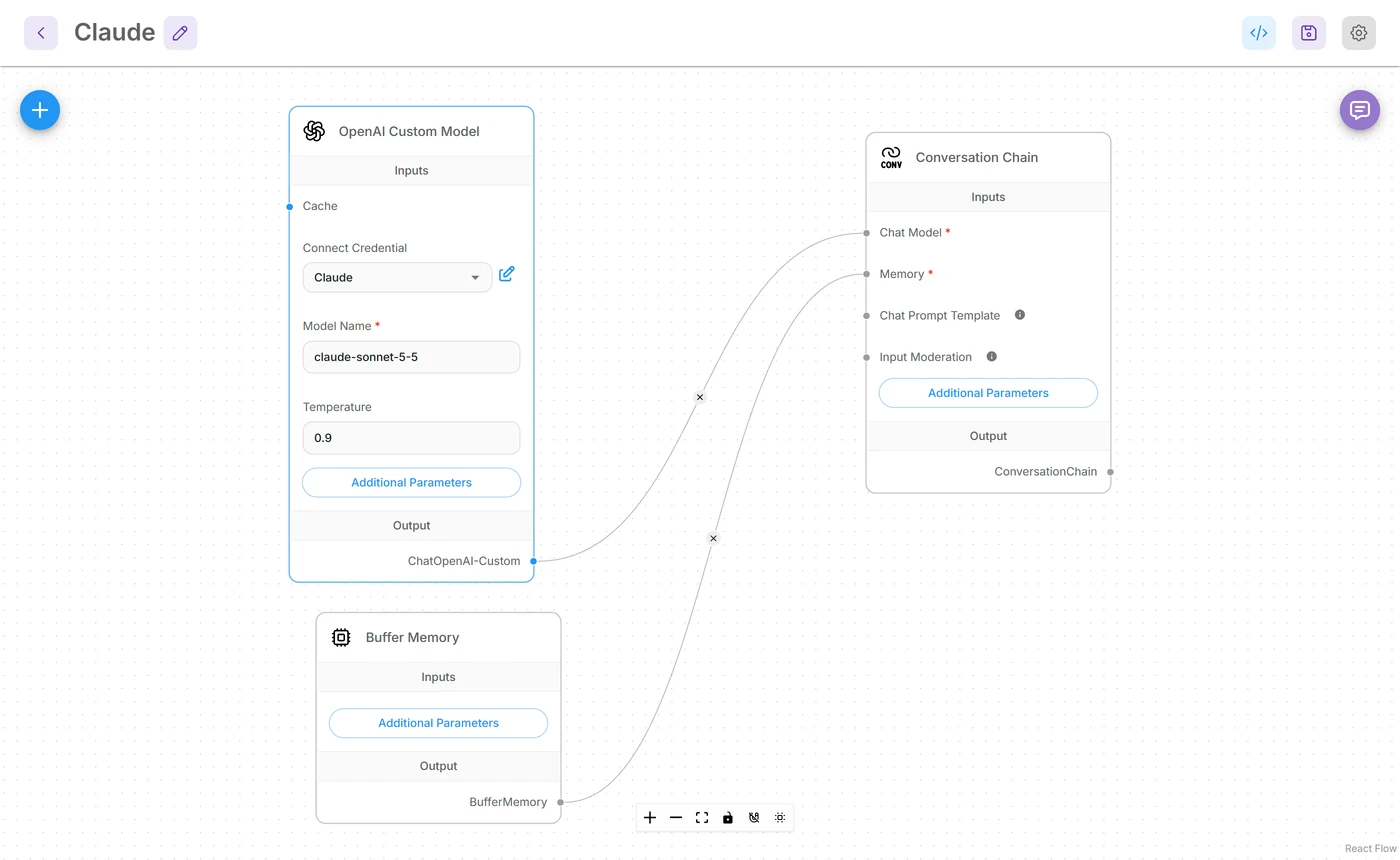
Step 3:Pick the model
Sonnet, Opus, Haiku or Fable.
Model names to choose from:claude-sonnet-5-5,claude-opus-5-5,claude-haiku-5-5,claude-fable-5-2Step 4:Set max tokens
Max Tokens: 32000.
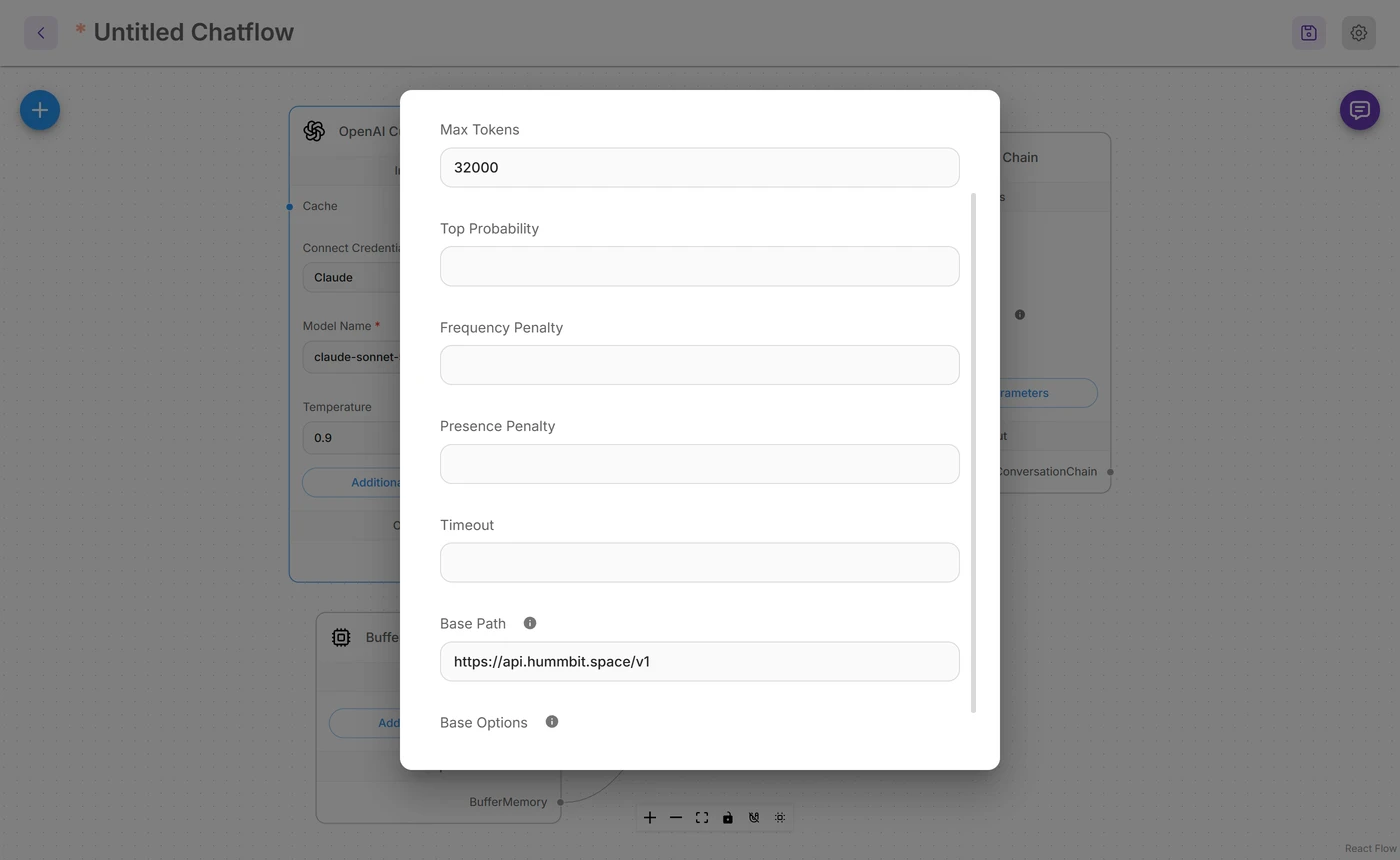
Step 5:Paste the address
Base Path ends with /v1.
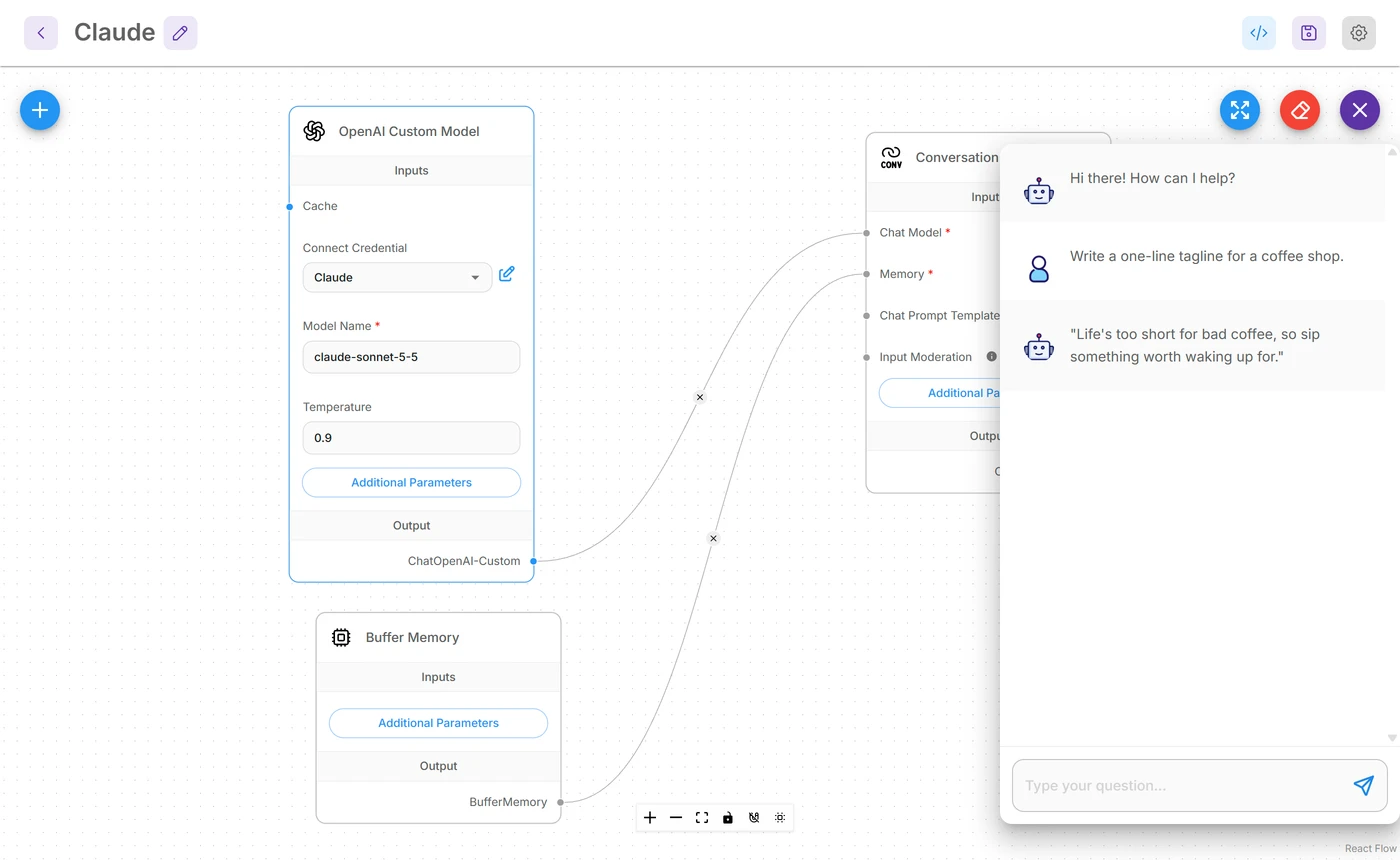
Step 6:Send a message
Claude answers in the chat.
Models
The same models work in every app. Use the exact name:
- Claude Sonnet 5.5:
claude-sonnet-5-5 - Claude Opus 5.5:
claude-opus-5-5 - Claude Haiku 5.5:
claude-haiku-5-5 - Claude Fable 5.2:
claude-fable-5-2